

Reconnect email address to Webflow form submissions
If you build websites in Webflow, you might eventually run into this frustrating issue: you or a client accidentally unsubscribe from form submission notifications. When this happens, Webflow stops sending new submission emails to that address - making it look like forms are “broken.”
The good news: you can easily re-add the email address inside your Webflow form settings. Here’s how.
- Navigate to the page in Webflow where your form exists. (eg. website.com/contact)
- Click on the 'form' element, and navigate to the settings tab
- Click on 'Email Notifications' in the 'Send To' area of the form settings.
- Here you can add the necessary emails to ensure you or your customers are recieving emails.
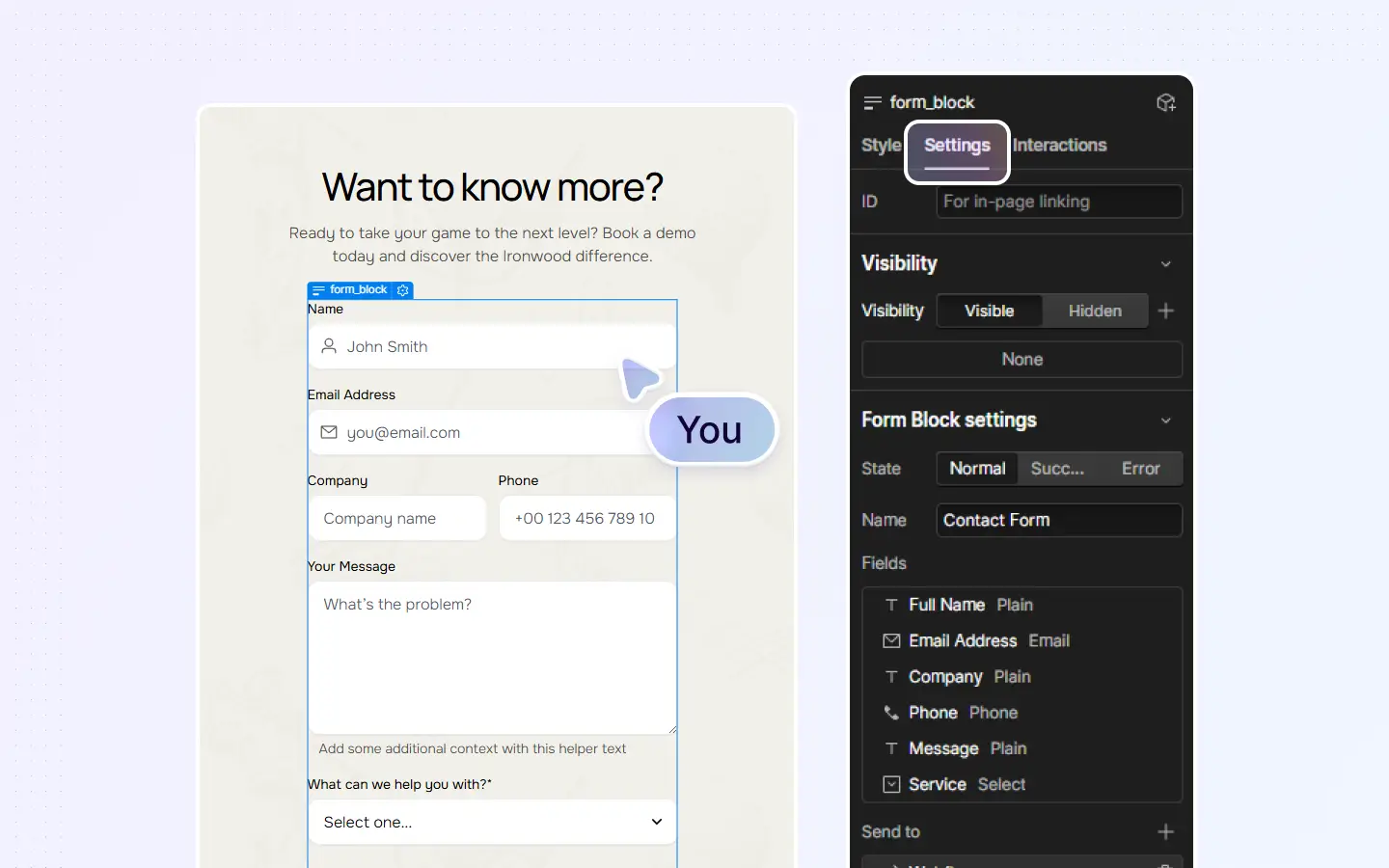
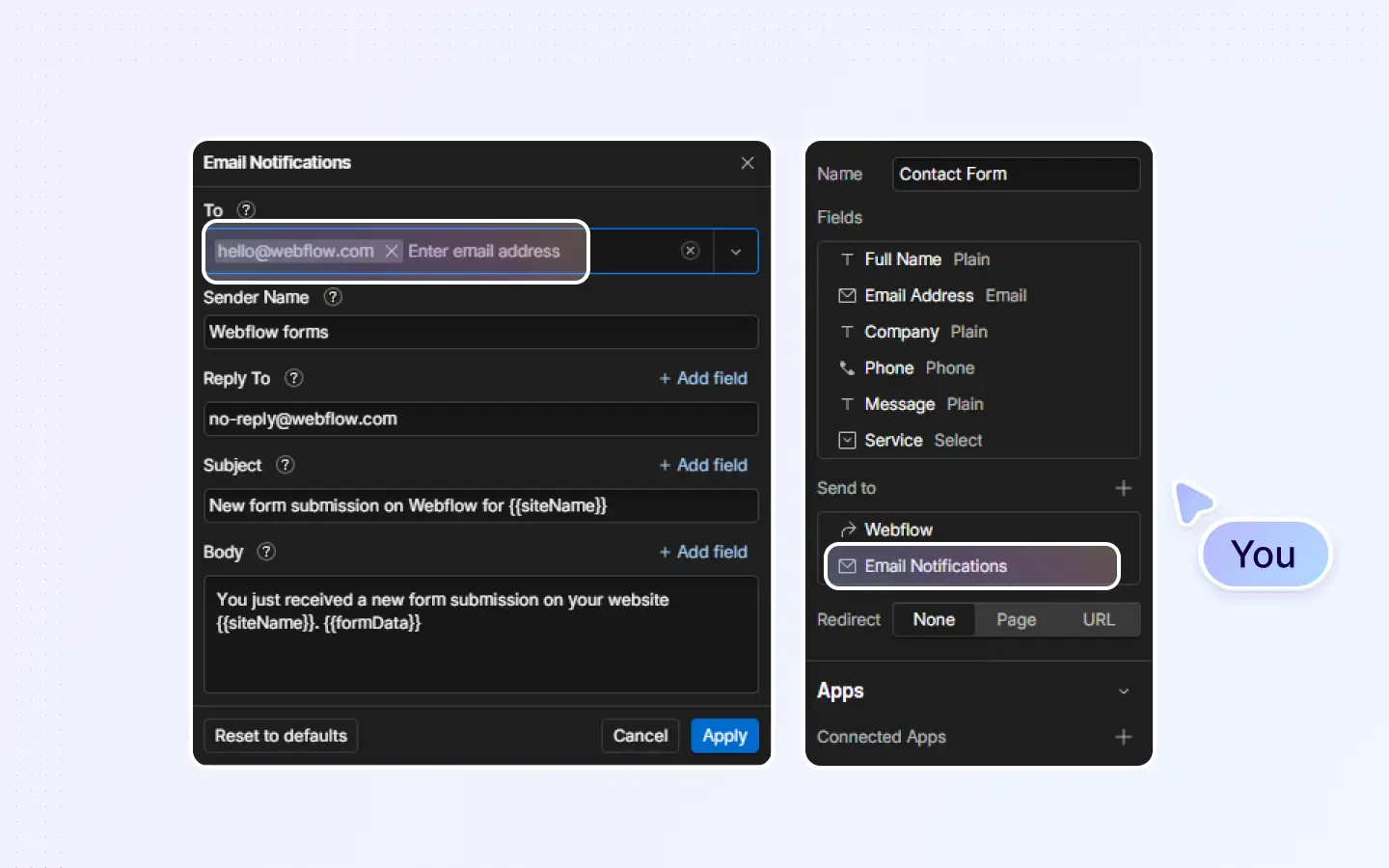
By re-adding the unsubscribed email address in your form settings, you’ll restore notifications instantly and ensure nothing gets missed. This is one of the quickest fixes for “form not sending emails” issues in Webflow.


